What Is the WhatsApp 24-Hour Messaging Window?
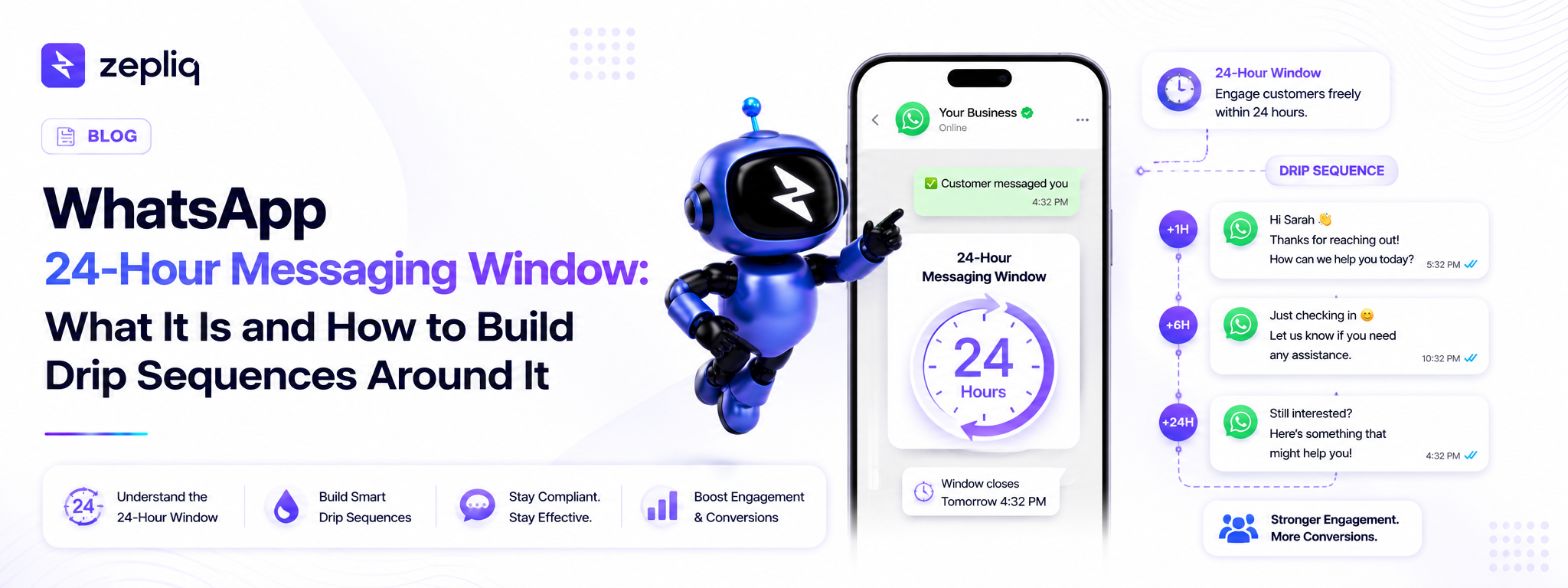
The 24-hour messaging window is a Meta policy that controls when and how businesses can message customers on WhatsApp. When a customer sends your business a message, a 24-hour window opens. During that window, you can reply freely using any text, images, documents, or interactive messages — no template required. Once the window closes, meaning 24 hours have passed since the customer's last incoming message, you can only contact them using pre-approved WhatsApp message templates.
This rule was designed to protect users from spam. Meta built the WhatsApp Business API as a two-way communication channel, not a broadcast medium. The 24-hour window ensures businesses reply in response to genuine customer intent, and that only customers who have actively engaged can receive freeform outreach.
Understanding the 24-hour rule is not optional for anyone building WhatsApp drip sequences. Ignoring it means messages silently fail to deliver, which breaks your automation flow, wastes your contact quota, and frustrates leads who expect a follow-up that never comes.
How the 24-Hour Window Breaks WhatsApp Drip Sequences
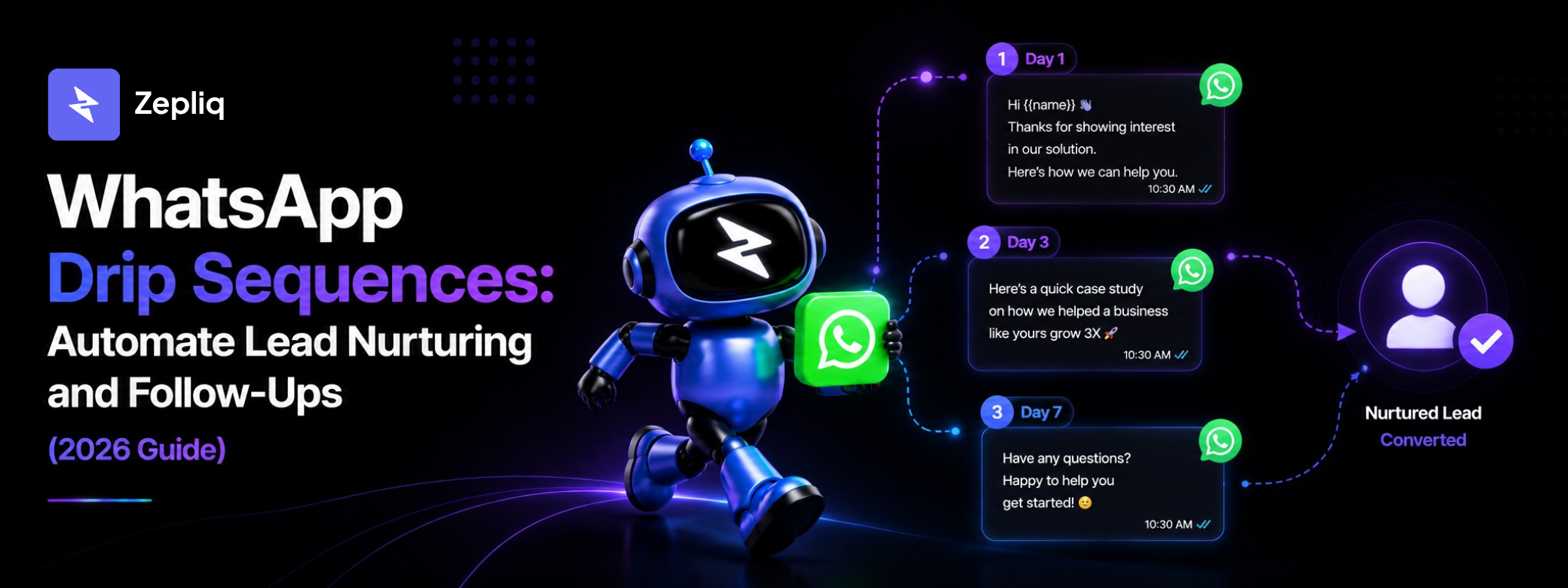
Drip sequences are scheduled message series — Day 0, Day 2, Day 5, and beyond. The problem is that most leads do not reply to every message. A contact might read your Day 0 welcome message without responding. On Day 2, when your next message fires, the 24-hour window is already closed because no incoming reply has reset it.
This is the most common reason WhatsApp drip campaigns stop delivering mid-sequence. The first message arrives fine. The second and third messages silently fail because the automation attempted to send freeform content to a closed window. You see the messages as "sent" in your platform, but the contact never receives them.
- Lead reads Day 0 but does not reply — Day 2+ messages fail outside the closed window
- Lead replies to Day 0 but goes quiet — by Day 5 the window has been closed for days
- Freeform messages sent outside the window do not return an error — they just fail silently
- High failure rates from window violations can damage your WhatsApp account quality score
- Meta can reduce your daily messaging tier if delivery failures and complaints accumulate
Message Templates: Your Solution Outside the 24-Hour Window
A WhatsApp message template is a pre-formatted message that Meta approves before you can send it. Templates follow specific rules — they must include personalization variables, match an approved category, and cannot be purely spammy in nature. Once approved, templates can be sent to opted-in contacts at any time, regardless of whether the 24-hour window is open or closed.
Since September 2021, Meta allows marketing templates — meaning you can send promotional content outside the 24-hour window as long as it uses an approved template and the contact has opted in. This is the only compliant, platform-safe way to run WhatsApp drip sequences beyond the first interaction.
- Templates must be submitted for Meta approval through your BSP before use
- Approval typically takes minutes to 24 hours — plan ahead before launching campaigns
- Marketing templates can include offers, promotions, and CTA buttons
- Templates support dynamic variables: {{first_name}}, {{order_number}}, {{product_name}}
- Templates can include quick-reply buttons and call-to-action links
- Sending templates to contacts without valid opt-in can result in account suspension
How to Design a WhatsApp Drip Sequence That Works With the 24-Hour Rule
The correct design is straightforward: every message in a drip sequence — including Day 0 — should be built as an approved template. This removes the 24-hour constraint entirely, because templates can be sent at any time to opted-in contacts regardless of the last conversation activity.
Build your full sequence using templates before you launch. Submit them for Meta approval through Zepliq's template management panel. Once approved, assign each template to its corresponding drip step. When a contact replies at any point, Zepliq's AI handles the reply in real time while the scheduled sequence continues. When a contact converts or opts out, an exit condition stops the sequence automatically.
- Step 1: Build every sequence message as an approved template, not freeform text
- Step 2: Submit templates for Meta approval before your campaign launch date
- Step 3: Set timing rules that match your sales cycle — Day 0, 2, 5, 8, 12 is a common structure
- Step 4: Define exit conditions — stop sending when the lead replies, purchases, or opts out
- Step 5: Monitor delivery rates per step — low delivery may signal template quality issues
- Step 6: Review reply rates and conversion per step to optimize the sequence over time
WhatsApp Drip Sequence Template Examples
These five templates form a complete lead nurturing sequence for a product or SaaS business. Each is designed to work as an approved marketing or utility template. Replace the placeholder variables with your business details before submitting for approval.
- Day 0 (Welcome): "Hi {{1}}, welcome to {{2}}! We're here to help you {{3}}. Browse our catalog: {{4}} — reply anytime with questions."
- Day 2 (Value): "Hi {{1}}, one tip that helps most {{2}} businesses: {{3}}. Here's how to use it: {{4}}. Zepliq makes this automatic for every customer."
- Day 5 (Social Proof): "Hi {{1}}, {{2}} achieved {{3}} using Zepliq. Would the same result work for your business? Book a 15-minute demo: {{4}}"
- Day 8 (Offer): "Hi {{1}}, just for you — start Zepliq for {{2}} using code {{3}} at checkout. Valid until {{4}}: {{5}}"
- Day 12 (Final Follow-Up): "Hi {{1}}, last follow-up from us. If now is not the right time, no problem — we'll be here whenever you're ready. Save our WhatsApp: {{2}}."
Frequently Asked Questions
Can I send any message outside the 24-hour window?
Only pre-approved WhatsApp message templates can be sent outside the 24-hour window. Freeform messages, images, and documents sent to a closed window fail to deliver without any error notification.
What if a contact opts in but never replies to any message?
If a contact opted in through a compliant method and you have recorded consent, you can send template messages regardless of whether they have ever replied. The opt-in creates the legal basis; the window rule applies only to freeform messages.
How long does template approval take?
Most templates are approved within minutes to 24 hours. Marketing templates may take longer due to an additional policy review. Submit templates at least 48 hours before your campaign launch.
Can AI automatically switch to templates when the window closes?
Yes. Zepliq uses templates for all outbound drip messages by default, so the automation never attempts a freeform send to a closed window. Replies from contacts are always handled as inbound messages, which open the window again.
Does every drip step need its own approved template?
Yes. Each distinct message in your sequence needs its own approved template. In Zepliq, you can build a template library and assign specific templates to each automation step.
Build Your Customer Automation System with Zepliq
Zepliq helps growing brands automate WhatsApp, email, Shopify, WooCommerce, and sales pipeline workflows from one dashboard.
Use this guide as a starting point, then connect your real customer conversations so your team can reply faster, follow up better, and build a brand customers remember.
Start Your Free 14-Day Trial
No credit card required. Connect your channels and launch your first automation workflow in minutes.
- No credit card required
- WhatsApp, email, and store automation
- Built for sales and support teams